![daasity_icon_RGB_On_White.jpg]](https://support.daasity.com/hs-fs/hubfs/daasity_icon_RGB_On_White.jpg?height=40&name=daasity_icon_RGB_On_White.jpg)
Amazon Seller Central Integration
PLEASE NOTE: DUE TO AMAZON API LIMITATIONS HISTORICAL DATA UPLOADS CAN TAKE SEVERAL DAYS TO COMPLETE.
Step 1: Locate the Data section in the Daasity Menu Bar and click Integrations
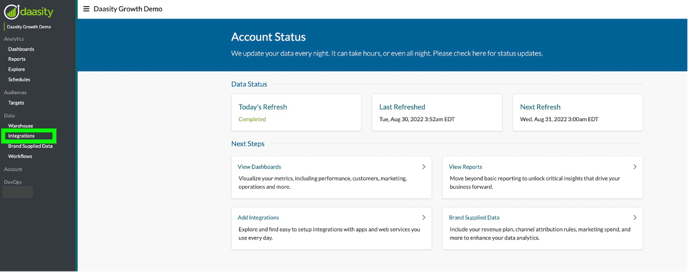
Step 2: Click the ‘New Integration’ button in the Top Right Corner of your screen

Step 3: Click on the Amazon Seller Central button
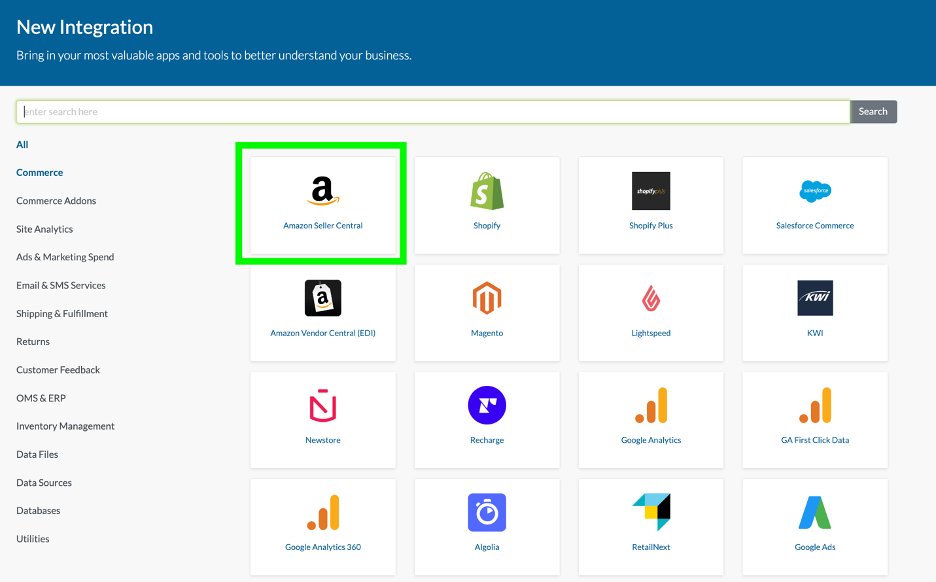
Step 4: Choose the Region you want to Activate.
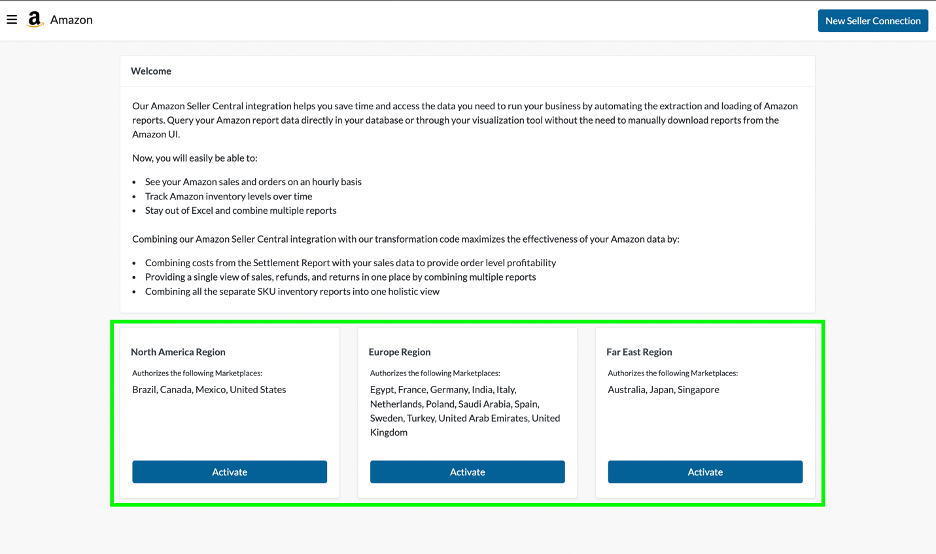
Step 5: Enter your Region Seller ID and select a Marketplace(s) to Authorize Access to Daasity.
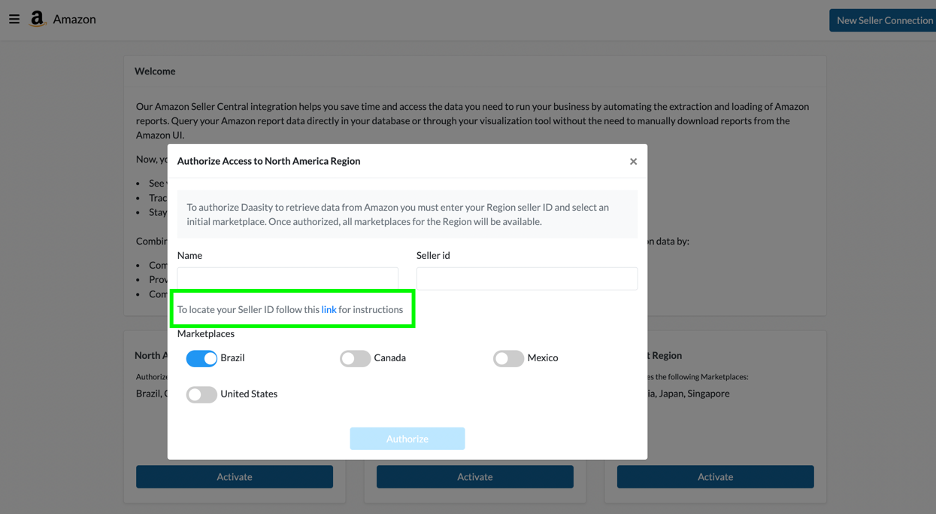
NOTE: Click the Link provided in the prompt for Instructions to locate your Amazon Seller ID in your Amazon Seller Central account.
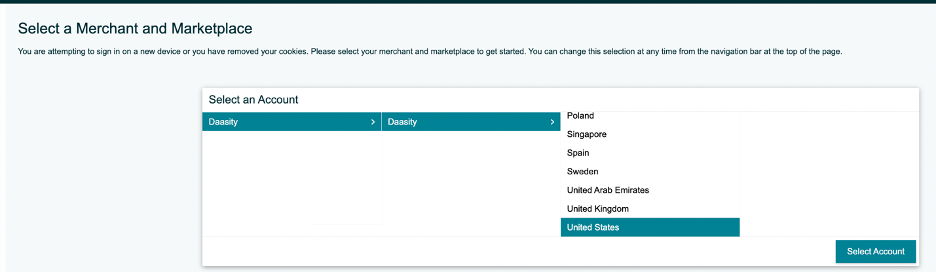
Step 6: Select the Merchant and Marketplace
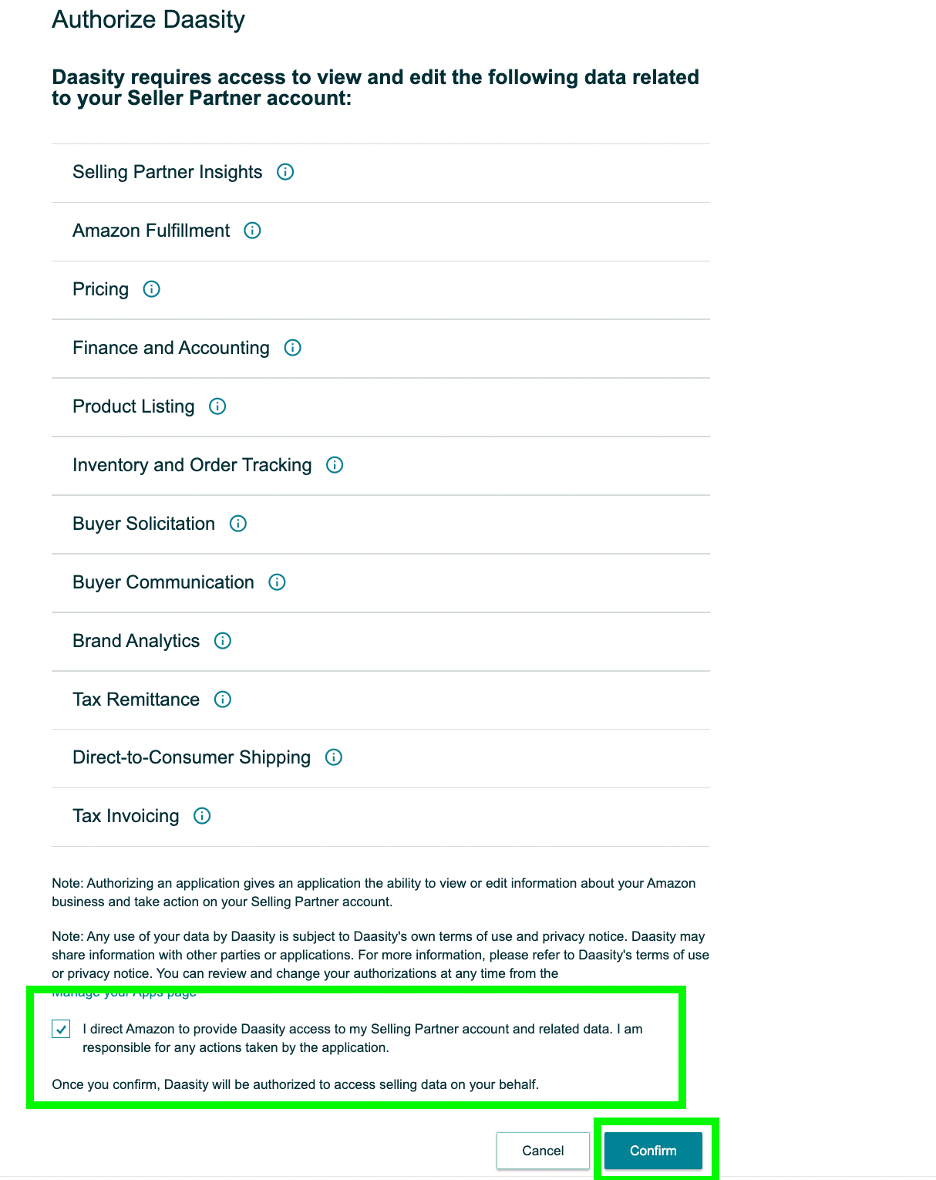
Step 7: Authorize Daasity to Access your Data
Repeat Steps 1-7 For Each Additional Region and/or Seller if Applicable
NEXT YOU MUST CONFIGURE YOUR AMAZON REPORTS FOR DAASITY