![daasity_icon_RGB_On_White.jpg]](https://support.daasity.com/hs-fs/hubfs/daasity_icon_RGB_On_White.jpg?height=40&name=daasity_icon_RGB_On_White.jpg)
Step 1: Amazon Seller Central
Log in into your Amazon Seller Central account.
Step 2: Go to Account Settings
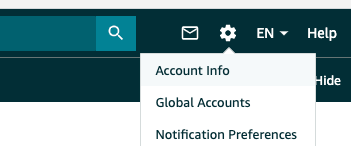
In the upper right-hand corner, you will find a gear. Click on the gear and select "Account Info."
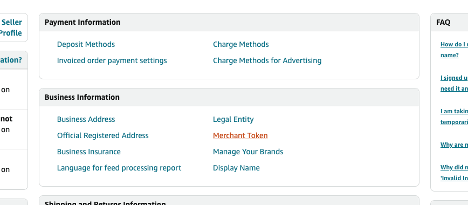
Step 3: Go to Business Information section
Find and click on "Merchant Token."
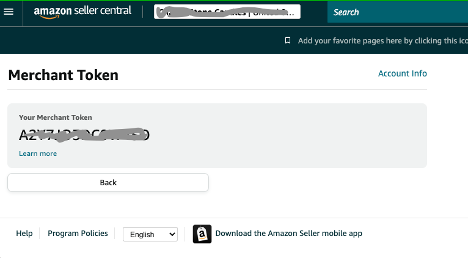
Step 4: Copy the Merchant Token
Copy the ID that is displayed. This is the Merchant Token, also called your Seller ID.